Profile & Statistics
Build a consistent local identity across the account interface.
- Profile customization
- VIP Status & Rank
- Account statistics
- Live Stats & Race
Stake Lab Simulator is a local Chrome browser simulation and customization tool built for controlled demonstrations, content creation and testing on macOS and Windows.
One focused control layer
The extension sits alongside the browser experience, giving you precise control over supported account, wallet, reward and activity states.
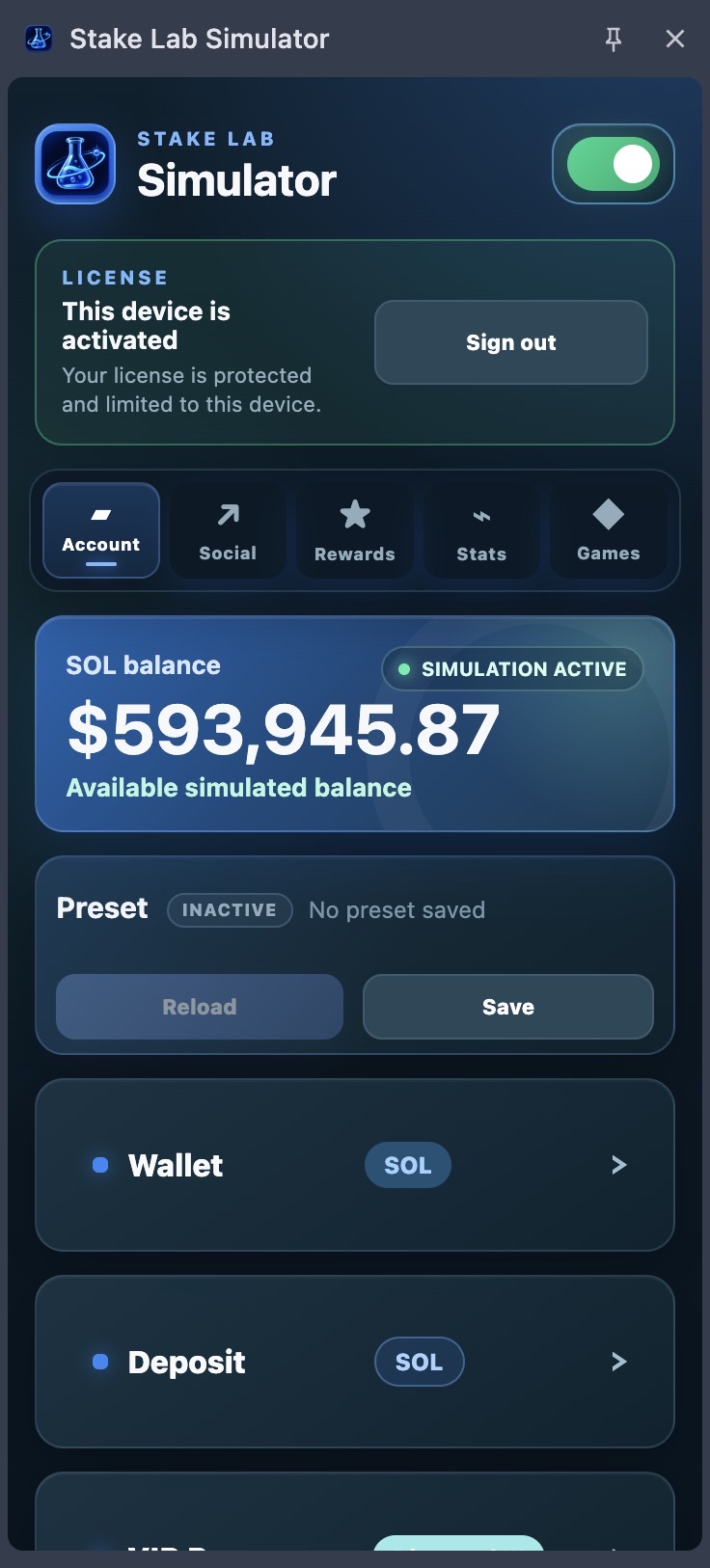
Build a consistent local identity across the account interface.
Control the visible local balance and its related activity states.
Present the reward and social flows supported by the current release.
Available now
The current release supports 31 Originals across free-virtual and minimum-wager compatibility modes.
Current release
The latest release expands coverage far beyond the previous version, including Roulette, Crash, Baccarat, Slide, Video Poker and more.
Wide provider coverage
A broad selection of popular slots across 23 currently ready providers.
A short session across popular slots from several supported providers.
Upcoming update
Sports Betting support is in development and is disabled in the current release. Its future preview can be added without redesigning the section.
Real extension screenshots
Explore actual states from the current extension release—presented at full scale, with no fabricated product UI.
Customize the local profile, VIP level, progress, join date, wagered volume, wins and losses.
From purchase to first launch
Complete the guided $100 purchase in Telegram.
Get the readable source files and included assets, with no account activation.
Follow the Chrome guide, or modify the source code for your own authorised use.
Compatibility
Supported on current Google Chrome desktop installations for macOS and Windows.
 Chrome desktopManifest V3 extensionReady
Safari, Firefox and mobile browsers are not supported in the current release.
Simple offer · Full source code
One $100 payment for the complete current source, bundled assets, installation guide and support.
Readable source code with no Google sign-in, remote licence or integrity lock.
Purchase and private source delivery continue through the official Telegram workflow.
Major release roadmap
Bug fixes and smaller additions will continue between these major milestones.
Stake Originals, popular Slots, profile and VIP customization, account statistics, wallet activity, rewards and tips.
Broader compatibility for the remaining Slots and providers, alongside the regular fixes and smaller improvements.
A dedicated Sports Betting simulation module, delivered in a future major release when it is ready.
A portable experience is planned for a later stage. The current extension remains focused on Chrome desktop.
FAQ
Stake Lab Simulator is a local Chrome browser simulation and customization tool for controlled demonstrations, content creation and testing. It does not modify third-party server-side balances or account data.
You receive the complete readable and editable extension source code, the current extension assets, an installation guide and direct support.
Yes. The package contains readable source files with no Google sign-in, licence server or integrity lock.
The current release supports Google Chrome on Windows and macOS desktop. Safari, Firefox and mobile browsers are not supported.
After purchase, extract the source ZIP and follow the included guide to load the folder as an unpacked Chrome extension. No account activation is required.
No. This source-code edition runs locally without Google sign-in or a remote licence service.
No. Stake Lab Simulator is an independent third-party product and is not affiliated with or endorsed by Stake.com.
Stake Lab Simulator
Complete editable source code for $100, with installation guidance and support.
Stake Lab Simulator operates locally in the user’s browser and is intended for simulation, customization, content creation and testing. It does not create real funds or modify Stake.com server-side balances or account data. Stake Lab Simulator is an independent third-party product and is not affiliated with Stake.com.